> ## Documentation Index
> Fetch the complete documentation index at: https://docs.uxbrite.com/llms.txt
> Use this file to discover all available pages before exploring further.
# What is GTM?
> An introduction to go-to-market strategy and how UXBrite GTM Suite helps you execute it.
## Go-to-Market, Defined
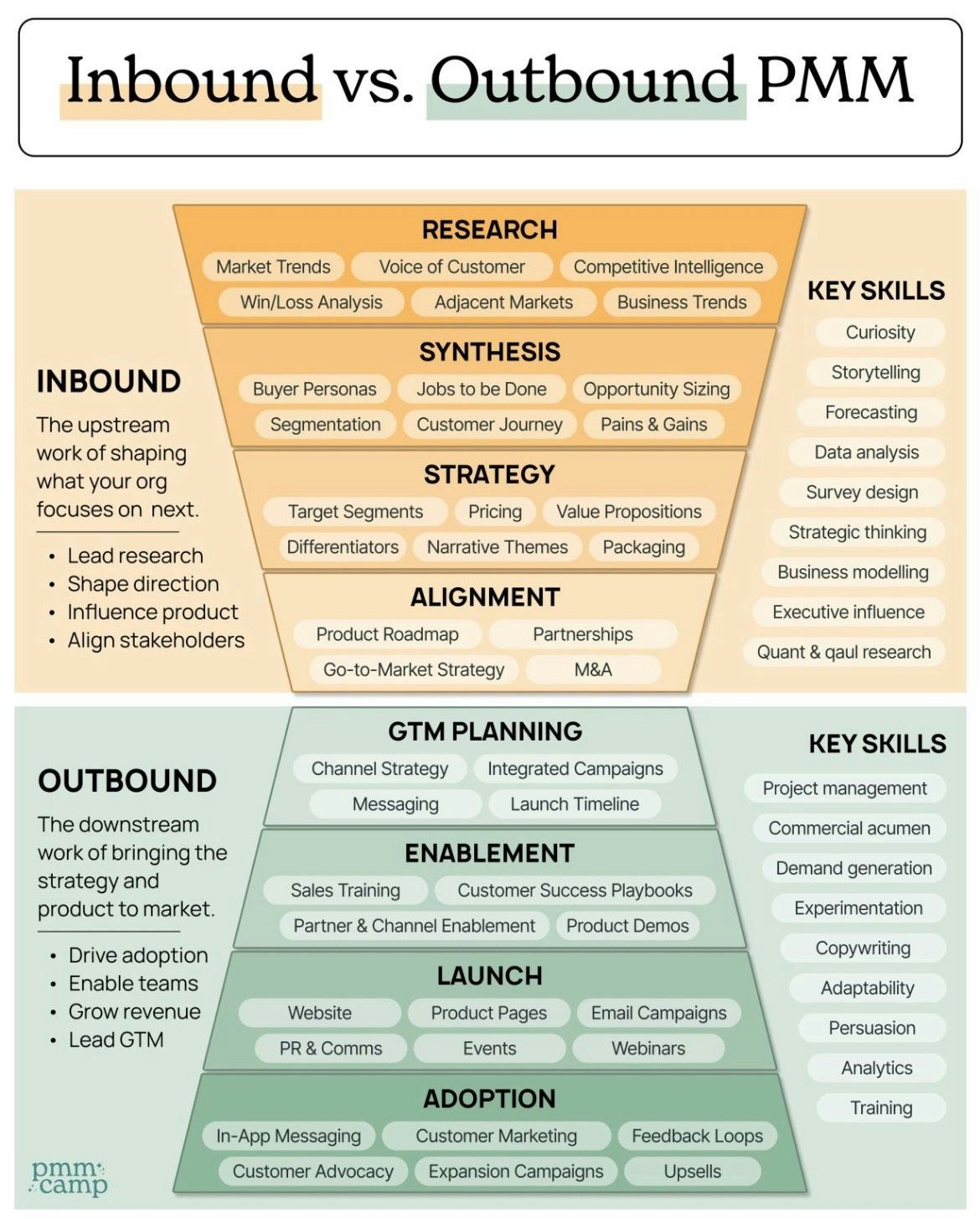
A **go-to-market (GTM) strategy** is the plan a company uses to bring a product or service to market and reach its target customers. It covers every customer journey touchpoint, from how prospects find you to how they evaluate, buy, and stay with you.
A strong GTM strategy answers four core questions:
* **Who** is your ideal customer?
* **What** problem are you solving for them?
* **How** will they discover you and convert?
* **Where** do you meet them in their journey?
 ## The GTM Execution Problem
Most B2B teams don't lack strategy—they lack **clarity**. Marketing data lives in Google Analytics. Campaign execution happens in HubSpot or Mailchimp. The CRM isolates sales intelligence. SEO sits in a separate tool. The result: fragmented data, duplicated effort, and blind spots in the customer journey.
The average B2B marketing team uses 12+ tools. Switching between them means slower decisions, missed signals, and campaigns that don't connect.
## How UX Brite GTM Suite Helps
UX Brite's GTM Suite is an all-in-one platform that turns **marketing and tech chaos into conversion clarity**. It unifies the key pillars of GTM execution under one roof:
Track website behavior, map customer journeys, and replay sessions to understand how visitors engage with your product.
Build your ideal customer profile, manage brand assets, and orchestrate campaigns across channels.
Research keywords, optimize content with AI, run SEO audits, and grow your organic presence.
Identify high-intent accounts visiting your site and surface actionable signals before your competitors do.
Measure what matters—traffic, conversions, and funnel performance, and generate shareable reports automatically.
Connect your existing stack (Google Analytics, Salesforce, Mailchimp, and more) to centralize your data.
## Who Is The GTM Suite For?
GTM Suite is designed for B2B founders and their marketing teams who are scaling their go-to-market efforts and need a single source of truth for marketing performance.
It's a great fit if you are:
* A **marketing leader** tired of stitching together reports from 5 different tools
* A **growth marketer** running multi-channel campaigns and losing visibility mid-funnel
* A **sales team** that wants to know which accounts are showing buying intent right now
* A **founder** who needs GTM clarity without hiring a 10-person ops team
* **A developer** who needs to support their marketing team and connect many marketing integrations at once.
## What's Next?
Set up your workspace and connect your first app integration in minutes.
## The GTM Execution Problem
Most B2B teams don't lack strategy—they lack **clarity**. Marketing data lives in Google Analytics. Campaign execution happens in HubSpot or Mailchimp. The CRM isolates sales intelligence. SEO sits in a separate tool. The result: fragmented data, duplicated effort, and blind spots in the customer journey.
The average B2B marketing team uses 12+ tools. Switching between them means slower decisions, missed signals, and campaigns that don't connect.
## How UX Brite GTM Suite Helps
UX Brite's GTM Suite is an all-in-one platform that turns **marketing and tech chaos into conversion clarity**. It unifies the key pillars of GTM execution under one roof:
Track website behavior, map customer journeys, and replay sessions to understand how visitors engage with your product.
Build your ideal customer profile, manage brand assets, and orchestrate campaigns across channels.
Research keywords, optimize content with AI, run SEO audits, and grow your organic presence.
Identify high-intent accounts visiting your site and surface actionable signals before your competitors do.
Measure what matters—traffic, conversions, and funnel performance, and generate shareable reports automatically.
Connect your existing stack (Google Analytics, Salesforce, Mailchimp, and more) to centralize your data.
## Who Is The GTM Suite For?
GTM Suite is designed for B2B founders and their marketing teams who are scaling their go-to-market efforts and need a single source of truth for marketing performance.
It's a great fit if you are:
* A **marketing leader** tired of stitching together reports from 5 different tools
* A **growth marketer** running multi-channel campaigns and losing visibility mid-funnel
* A **sales team** that wants to know which accounts are showing buying intent right now
* A **founder** who needs GTM clarity without hiring a 10-person ops team
* **A developer** who needs to support their marketing team and connect many marketing integrations at once.
## What's Next?
Set up your workspace and connect your first app integration in minutes.